

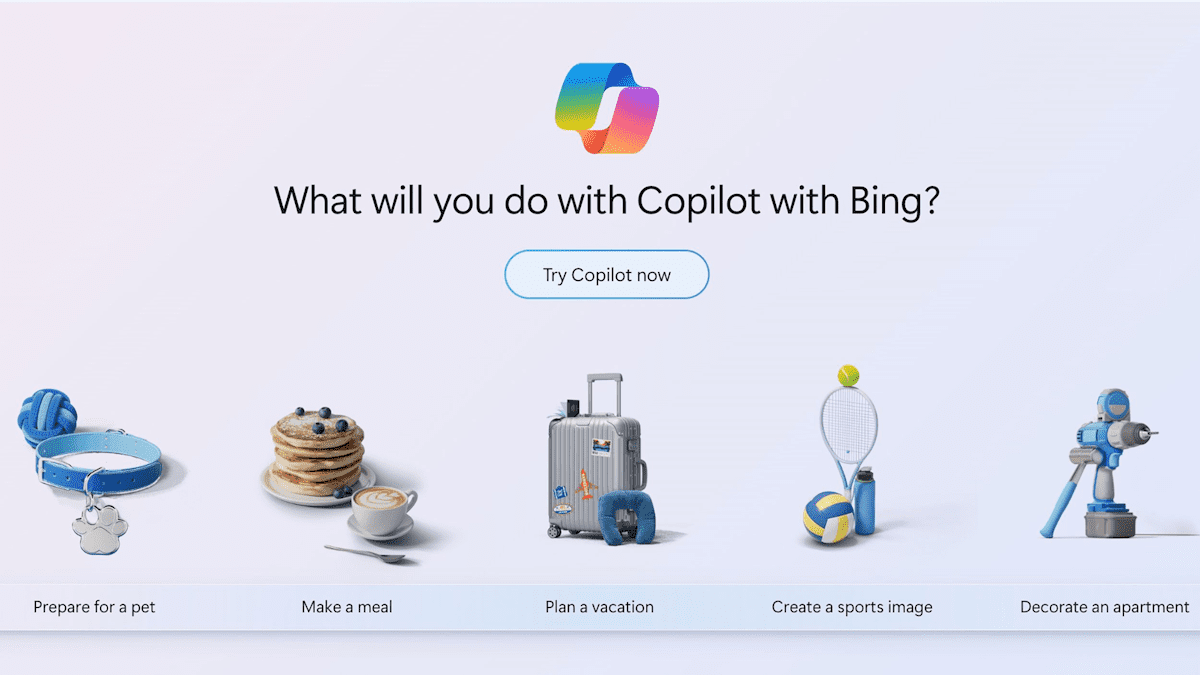
Have you ever wanted to create a logo for your brand or business, but lacked graphic design experience? Don't worry, we've got you covered! In this article, you'll discover how you can easily and effectively create logos using [tools/tools - context needed]. Bing Chat Copilot.
We believe you don't need to be a design expert to create stunning logos. Bing Chat Copilot And with its innovative artificial intelligence technology, anyone can bring their vision to life and create unique and attractive logos.
So, are you ready to discover how to use Bing Chat Copilot Want to become your own logo designer? Keep reading to learn all the details.
The AI revolution in graphic design with Bing Chat CopilotArtificial intelligence (AI) has revolutionized many aspects of our lives, and graphic design is no exception. Let's explore how Bing Chat Copilot uses AI to generate stunning graphic designs and how this technology is transforming the design industry.
AI has enabled graphic designers to automate repetitive and tedious tasks, such as sketching and brainstorming. Bing Chat Copilot, with its advanced AI technology, acts as a creative partner for designers, offering suggestions and improving workflow.
With Bing Chat Copilot, designers can make the most of their creativity and time. The tool offers a wide range of resources, such as color palettes, templates, and graphic elements, which can be used as a starting point for creating unique and personalized designs.
Bing Chat Copilot's AI is also capable of analyzing and understanding the project's context and requirements, enabling it to generate designs that perfectly match the client's needs. This accelerates the design process and ensures high-quality results.
Furthermore, Bing Chat Copilot lets you learn as you create logos, allowing it to offer more accurate and personalized suggestions over time. This not only streamlines the design process but also fosters collaboration between the AI and the designer, resulting in greater efficiency and better results.
In short, AI has opened up new possibilities in graphic design, and Bing Chat Copilot is proof of that. With its ability to generate stunning designs and its focus on improving the designer's workflow, Bing Chat Copilot is changing the way graphic art is created. Get ready to dive into the AI revolution. AI in graphic design and discover how Bing Chat Copilot can take your creative skills to the next level.

Activate your imagination with Bing Chat's Creative Mode
If you're looking to stimulate your imagination in logo design, the Bing Chat Creative Mode It's the perfect tool for you. With this key Bing Chat feature, you can unleash your creativity and generate unique and original designs. Ready to embark on a journey of creation and discovery? Keep reading!
He Bing Chat Creative Mode It gives you the freedom to explore and experiment with different design elements, from shapes and colors to fonts and styles. You can play with the available options and let your imagination run wild.
The image above shows how you can access the Bing Chat Creative Mode. Once you're there, you'll enjoy an intuitive and user-friendly interface that guides you through the entire design process. Whether you're a graphic design novice or expert, Bing Chat's Creative Mode adapts to all experience levels.
What makes Bing Chat's Creative Mode so special? Besides giving you a wide range of design options, it also provides personalized suggestions and recommendations in real time. This means you can receive inspiration and guidance while working on your logo, helping you overcome creative blocks and generate innovative ideas.
One of the best ways to spark your imagination with Bing Chat's Creative Mode is to experiment with unique and unconventional combinations. Try different colors, play with shapes, and mix and match different typography styles. Remember, there are no hard and fast rules in design, so have fun and get creative!
Don't be afraid to step outside your comfort zone and try new ideas. Sometimes, the best creations come from experimentation and the boldness to explore the unknown. Let your imagination guide you and be amazed by what you can create in Bing Chat's Creative Mode!
How to create logos with Bing Chat CopilotBelow, we'll show you in detail how to use Bing Chat Copilot to create stunning, professional-quality logos. This process will allow you to express your brand identity in a unique and effective way.
To begin, go to Bing Chat and access the Bing Chat Copilot platform. Once inside, you'll be ready to start creating your logo.
The first crucial step in the process of creating logos with Bing Chat Copilot This is the definition of an effective prompt. A prompt is a short and precise description of what you want your logo to represent. For best results, be sure to be clear and specific when describing your ideas and preferences. This will help guide Bing Chat Copilot's AI in generating relevant designs that meet your needs.
Once you've set your prompt, Bing Chat Copilot will use its powerful AI algorithm to generate different logo proposals. These designs will be based on the keywords and intent you expressed in your prompt. Explore the various options Bing Chat Copilot offers and select the ones you like best or that best suit your needs.
It is important to keep in mind that the creation process of logos with Bing Chat Copilot implies iteration and refinement. As you explore the generated proposals, you can make adjustments and modifications to the designs to further customize them to your preferences. Continue iterating and refining until you achieve the perfect logo that meets your expectations and effectively represents your brand or business.
In summary, Bing Chat Copilot offers an easy and effective way to create professional-quality vector logos. With its effective prompt, iteration and refinement, You can get unique and attractive logos that properly represent your brand. Don't hesitate to explore all the possibilities that Bing Chat Copilot has to offer!

Master the art of the prompt for captivating designs
The prompt is fundamental to the logo creation process with Bing Chat Copilot. Although this tool uses artificial intelligence to generate designs, the prompt you enter plays a crucial role in the final result. An effective prompt will help you achieve captivating logos and representative of your brand or business.
So how can you create effective prompts How can you stimulate creativity in Bing Chat Copilot? Here are some tips:
- Be clear and concise: Clearly describe the essence of your brand or business in a few words. Avoid being too general and focus on what makes you unique.
- Be inspired by the audience: Know your target audience and consider what kind of design might appeal to them. Think about their tastes, preferences, and values.
- Use descriptive words: Use adjectives and words that convey the personality and style you want to reflect in your logo. For example, if you're aiming for an elegant design, words like "sophisticated" and "stylized" can be helpful.
- Experiment and play with words: Don't be afraid to try different combinations of words and phrases to see what they produce. Sometimes, a small tweak can make a big difference in the result.
Remember that Bing Chat Copilot is a smart and adaptable tool. As you enter prompts, it will explore different layout options and provide multiple variations for you to choose from. This process of iteration and refinement It will allow you to obtain the perfect logo that will captivate your audience.
Don't underestimate the power of an effective prompt! Master the art of creating captivating prompts and you'll be on the path to amazing logos.
Tips and tricks for creating spectacular vector logos
Here are some key tips and tricks for creating stunning vector logos that will captivate your audience. A vector logo not only offers superior quality and versatility, but also allows you to use it in different sizes and formats without losing quality.
One of the most important aspects of designing a striking logo is simplicity. Avoid excessive elements and opt for a clean, minimalist design. Remember that an effective logo should clearly and concisely communicate the identity of your brand or business.
Another factor to consider is the right choice of color and typography. Colors convey emotions and subliminal messages, and typography can evoke different styles and personalities. Combine colors that reflect the essence of your brand and choose a typeface that aligns with your message and audience.
Furthermore, to create memorable logos, It's important to think outside the box. Explore creative and original ideas that will make your logo stand out from the competition. Play with unique shapes, textures, or graphic elements that represent your brand's unique identity.
Finally, make sure your logo is recognizable and easily identifiable. Avoid overly complicated or confusing designs, as these can make it difficult to understand and remember. Opt for a clear and distinctive design that stands out in any context or situation.
With these tips and tricks, you can create spectacular vector logos that will leave a lasting impression on your audience! Remember to always keep it simple, choose appropriate colors and fonts, and strive for originality in your designs. Don't miss the opportunity to stand out with a memorable logo that truly represents your brand or business!
Conclusion
In summary We'll cover what you've learned about easily creating logos with Bing Chat Copilot. We'll also highlight the main advantages of using this tool and how it can help you establish a strong visual identity for your brand or business.
Bing Chat Copilot is a powerful and accessible tool that lets you express your creativity and effortlessly create unique and professional logos. Thanks to its advanced artificial intelligence, generating stunning designs is easier than ever.
Whether you're a graphic design beginner or not, Bing Chat Copilot will guide you step-by-step through the entire logo creation process. With its Creative Mode, you can unleash your imagination and explore innovative ideas to represent your brand.
Don't miss the opportunity to bring your brand to life with Bing Chat Copilot. Start creating unique, professional logos today that will captivate your audience. Express yourself and stand out in the world of graphic design with this extraordinary tool!
Image: Pocket-lint







 Español de Colombia
 English
 Português do Brasil